Pages

Free Technology for Teachers

Literacy Cafe Ideas

As I work with assisting teachers with their Balanced Literacy programs, I have run across so many wonderful teacher ideas and classroom management routines. I will periodically begin posting their ideas and links to their sites for you to visit.

Teaching is such a WONDERFUL Collaborative Environment, where we all LOVE to share as we all work on improving our teaching practices and supporting other teachers. 

Here are some of the Literacy Cafe resources I located this week:

 1. A Literacy Cafe classroom poster that I found weeks ago and took a screenshot.
 (SEE at the bottom of this post.  Sorry I cannot remember where I found this photo.)

2. Literacy Cafe Video: How to Use CAFÉ: Involving Students in Building Essential Reading Skills by The Balanced Literacy Diet
Link:  http://www.youtube.com/watch?v=nfJEp-thTeM

3.  Blog: Lesson with Laughter - Molly Maloy
Link:  http://www.lessonswithlaughter.com/2012/04/reading-writing-notebooks.html
Twitter:  @mollymmaloy
This blog displays a very comprehensive way to develop a student literacy portfolios.

4. Need Bulletin Board Headings? 
thedailycafe.com site provides FREE heading posters for you to download, along with many other liteacy teacher resources.

5.  Literacy Cafe Documents for Teacher Reference and Instruction

a) Titled:  The Literacy Cafe Menu
by  The CAFE Book: Engaging All Students in Daily Literacy Assessment and Instruction by Gail Boushey and Joan Moser, " The Sisters."
Link:  http://marcy.mpls.k12.mn.us/uploads/the_literacy_cafe_menu.pdf

b) Titled: CAFE Transition Menu by Karen Sekeres
(Beverly Hills Unified School District)
Link:  http://www.bhusd.org/ourpages/auto/2011/9/16/43017830/CAF_%20Transition%20Menu-1.pdf

c) Titled:  Stanima Graphs for Reading & Writing
by by Karen Sekeres (Beverly Hills Unified School District)
Link:  http://www.bhusd.org/ourpages/auto/2011/9/16/43017830/stamina%20graphs-how_long_can_we_work_graph.pdf


Literacy Cafe Classroom Posters for a Bulletin Board


Spark Students' Interest in NASA

Sign up FREE with the NASA Explorer School Program. Spark your students' interest in STEM subjects with the help from NASA.

Also you could also gain an opportunity to have your students share their learning and projects at Kennedy or Johnson Space Center before scientists and engineers.

 What a Once in a Lifetime experience. 
 View this presentation and see the SPARKS!


Story Elements - Jeopardy Game (iPad Friendly)

Another meaningful Balanced Literacy activity for students.

This is an excellent jeopardy game I found on the Internet
 (Author Unknown)

I just upgraded the slides, added linkage between the slides,    and added a Story Elements Resource Slide at the end of the game.

Your students will LOVE this game and learn at the same time.  

Download this presentation and OR play it directly from here.

Special Note:  Make sure you read the Teacher Directions on (Slide 2) to ensure maximum fun with the interactive capabilities.

Here is the link to the "Jeopardy Theme Song". 

You can visit my "Diary of an iPad Grant Team" for other iPad Friendly lessons or activities.

Jeopardy_[LanguageArts]_Version 2

More PowerPoint presentations from Reba Gordon Matthews

"Mouse" Practice Webtools for Beginners at Computers


FREE Computer Classes -
Every Wednesday Morning
@ the Lancaster Veterans Memorial Library
1600 Veterans Memorial Pkwy.
Lancaster, Texas 75134

(Look at the bottom of this post for upcoming classes)

Today I utilized the following "mouse" practicing webtools for participants who are learning how to use the computer.


1st Webtool: 


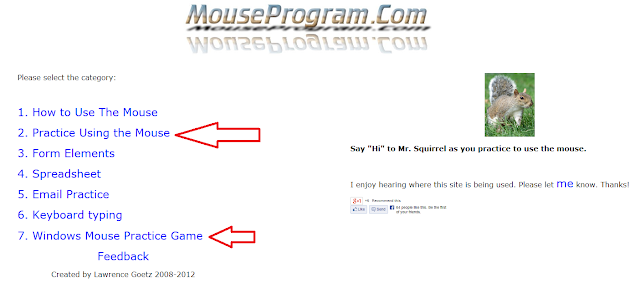
http://www.mouseprogram.com/

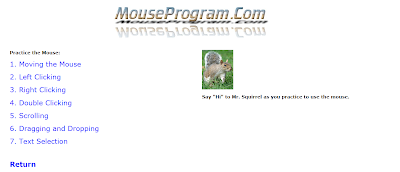
Each participant practiced each of the mouse skills below.

http://www.mouseprogram.com/practice.html


2nd Webtool: 


http://www.pbclibrary.org/mousing/mousercise.htm


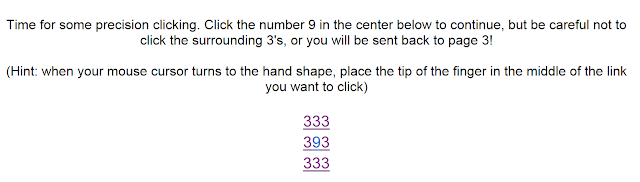
Participants followed on-screen instructions to click on objects.
Each click gave the participant instant feedback and encouragement.


http://www.pbclibrary.org/mousing/m9.htm
*********************


Dear Techie Lab Teacher,

I was setting up my livebinders and wanted to create a subtab under subtab.
How do I do that?   Can I do that?

Thanks


Dear Livebinder Question,

Unfortunately you are NOT able to make a subtab under a subtab.  You are only able to add an additional subtab to left and to the right of that subtab.  I wish that feature was available as well.

Yours Truly,
        Techie Lab Teacher


BELOW is a video tutorial for anyone needing assistance in making a subtab
in LiveBinders:

Apps Apps Apps - Which Do You Choose?

My iPad App Reviews or Evaluations or Suggestions

I decided that I needed to record my evaluations of the MANY iPad apps that I review as I develop my  iPad integration lessons.  There are soooo many apps.  You may find 10 apps that work on a specific skill and every teacher is different in regards to what technology tools they prefer to use.  As a member of our iPad Grant Team, we look at apps, try them out and report their value to the team.  Some of us are trying them out on students and getting their opinions, as well.  But my reviews were only shared in our meeting minutes.  Therefore, I decided to discuss the apps in this blog so that it will be more useful.  So here I am...letting you know what is out there and whether it worked or failed.

Today I am going into a 1st grade class and a Special Education classroom. I will introduce some apps that can enhance or assist with their language arts and math curriculum.  Two weeks ago, our entire student body had their first iPad experience during their computer lab sessions, in what we call our iTiger Academic Lab.   Click iTiger iPad Lab Logo Contest and view our iPad Logo Activity and iPad Pilot Dry Run Labs.

So today will be their 2nd experience.  I will review some past apps and introduce several new ones in order to evaluate their effectiveness.  (SEE below)


Notes coming later today.....It is still morning Lol!

Need Help Understanding Creative Commons Licenses?

Have you wanted to used some of those great and inspirational photos you have seen on several of the photo sharing sites such as Flickr, Photobucket, and Picasa, but didn't understand their licensing request?

I too, have that same dilemna.  I have to constantly reread the Creative Commons license descriptions in order to fully obliged the owner's request.  However, many of the descriptions were so complicated that I just contacted the owner and requested permission.

Well, I found an excellent QUICK fact sheet on Creative Commons licenses that spells it out simply for all the licensing novices like myself.  It is an easy-to-read 2 pager on an Australia website.
SEE the website link and the CC Fact sheet BELOW:


Fact Sheet Link:  http://www.scribd.com/fullscreen/16536016
Creative Commons Australia website Link:   http://creativecommons.org.au/weblog/entry/244

2011 Global Education Conference


Yes, I was up at 4:00 a.m participating in this week's 2011 Global Education Conference.

Am I sleepy? You bet, but I am well fed with knowledge I can walk in the door TODAY and practice with my students.

I attended several sessions yesterday and a few this morning. However I listened to the recording of keynote speaker Alan November. Very thought provoking and he turned me onto a video where a presenter and college professor (will input his name later - too early in the mornining) discussed "PEER INSTRUCTION" & The Flipped Classroom Model".

These two concepts together would have our students taking ownership of their learning and retaining the information for deeper learning. I am going to share these
ideas and suggestions with my iPad Grant Committee.  This could be one of the driving forces for integrating iPads into the daily curriculum and using them in a more purposeful and innovative manner.

I will add more to this post later, but I must shower and take my sleepy self to work and enjoy facilitating learning today. You noticed I didin't say teach. I must not have been as sleepy as I thought. I LEARNED SOMETHING. Lol!

 If you haven't gotten to the 2011 Global Education Conference yet, read below and get the link. It will happen all week (Nov. 14- 18) and it runs 24 hours a day. That's right, you have time to pop in and learn a little. Click on your time zone and begin the learning and connecting with some really great people. http://globaleducation.ning.com/page/2011-sessions-and-schedule


I will add the links to several of the articles and videos associated with each session and post later today.  And please pardon any grammatical errors, remember I was up EARLY trying to get some knowledge (Lol!). 

60 MINUTES Discusses iPad Apps for Autism

This 60 Minutes episode, "APPS For Autism" was one of the excellent displays how the iPad has greatly assisted people with autism and opened up their world to communicate with others.


This episode hit home because our school is in its first year of full inclusion and I am leading an iPad grant committee.  Our first task is to review apps that will service our ENTIRE student population, which includes our autistic student group.  These apps have not only opened many educators and parents eyes on what knowledge has been bottled up inside these precious children, but are now their VOICE to the world for those afflicted with silence.  How Marvelous!

Full education inclusion has brought wonderful acceptance from our general education students as I watch them assist their new classmates who come to the classroom a variety of disabilities.  With full inclusion, teachers are also presented with some educational challenges as they design lessons that will ensure that ALL their students receive the high quality of education they deserve.

The iPad Apps featured in this episode will greatly help our iPad grant writing committee make some decisions when choosing those assistive technology apps that will provide both routine and customized access to the general curricula and cooperative inclusion for students with disabilities. 

I am still a PC lover, but Thanks Steve Jobs! Your vision has really impacted the world.

iPad Apps Featured in this episode: